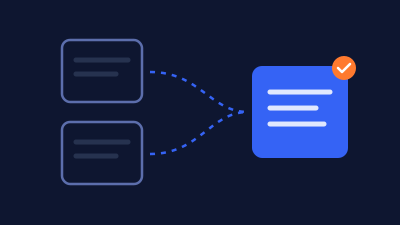
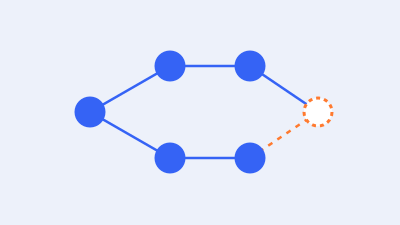
“URL is not on Google” is a summary in Google Search Console, not a diagnosis. Open the page’s indexing details, record the specific reason, and decide whether that exact URL should appear independently in search. Then investigate the relevant issue: discovery, access, indexing instructions, redirects, duplication, rendering, or page usefulness. Correct a demonstrated problem and verify the appropriate destination.
Some excluded URLs are working as intended. An old address may redirect to its replacement, and a campaign variant may be represented by another canonical URL. Trying to make every reported address independently indexed can create more confusion without helping customers find the right page.
Other exclusions deserve attention, especially when they affect a genuine service page, product, or useful article that should be publicly available. This guide helps WordPress owners move from the summary message to a focused investigation, with clear decisions about what to change and what evidence to collect afterward.
The scenarios are fictional illustrations. They are not findings from your Search Console account or customer case studies, and they do not promise that a correction will produce indexing, rankings, or traffic within a fixed period.
Separate discovery, crawling, indexing, and search visibility
A page can exist in WordPress before Google knows its address. Google can discover an address before fetching it. A fetched page can remain outside the index, and an indexed page can receive few impressions for the searches you care about. Those are different stages with different questions.
Google’s explanation of how Search works describes crawling, indexing, and serving relevant results. A useful investigation identifies where the available evidence places the page instead of treating every visibility problem as a failed submission.
For example, a service page missing from your preferred keyword’s results is not necessarily unindexed. It may be indexed but not selected for that query. Confirm the actual indexing record before changing technical settings. Equally, a sitemap containing the address does not establish that the page has been fetched or indexed.
Google’s technical requirements describe basic eligibility, including access, a working response, and indexable content. Meeting those requirements does not guarantee inclusion. A technically accessible page can still require investigation of duplication, content, or other conditions.
Use the distinction to avoid an expensive detour. Repeated indexing requests do not resolve a wrong redirect target, and rewriting a useful article does not remove an accidental response-header exclusion. The evidence should choose the workstream.
First decide what should happen to this exact URL
Before repairing anything, write a one-sentence outcome: “This public service page should be independently indexable,” or “This retired address should lead to the approved replacement.” That decision makes it possible to recognize whether an exclusion is appropriate.
A business owner and a developer may otherwise work toward different goals. The owner wants customers to reach a current service; the developer sees an excluded old slug and tries to restore it. Both can act competently while creating conflicting signals because the intended destination was never agreed upon.
Consider the URL’s purpose and actual content. Is it a distinct page, an alternate presentation, a tracking variant, an obsolete address, or a private workflow? Does it provide information a visitor reasonably needs at that location? Keep a record of the approved destination and the reason for the decision.
| URL purpose | Intended outcome | What to verify |
|---|---|---|
| Current public service, product, or article | Consideration as its own search destination | Access, content, indexing instructions, and canonical consistency |
| Retired page with a relevant replacement | Visitors reach the replacement | Appropriate redirect and the replacement’s own status |
| Accessible duplicate or campaign variant | Intended representative page is clear | Alternate behavior and consistent preferred destination |
| Private account, staging, or confidential material | Controlled access and appropriate exclusion | Authentication and privacy controls, not an indexing push |
| Genuinely removed page without a replacement | Honest removal behavior | Correct response and removal from current navigation where appropriate |
Do not make private content public merely to clear a report. Search exclusion is not access control, and an SEO setting should not replace authentication. Likewise, do not invent a replacement relationship by redirecting every deleted product or article to the homepage.
If the URL should remain excluded, document that decision and verify the intended destination or boundary. A correct exclusion can close the investigation. The aim is a useful search presence for appropriate pages, not the highest possible count of indexed addresses.
Inspect the exact address and preserve the starting evidence
Use the full URL from the report, including its protocol, hostname, path, and relevant parameters. Confirm the selected Search Console property covers the address. A difference between an old hostname and the current hostname can explain why two people think they inspected the same page when they did not.
The initial URL Inspection result describes Google’s recorded information; a live test checks current accessibility and output. The live test does not establish eventual indexing or predict Google’s canonical choice. Google documents those limits in the URL Inspection tool reference.
Follow this working sequence:
- Record the intended outcome. Name the exact URL, its purpose, and the page that should represent the content.
- Save the recorded reason. Expand the indexing details and note the reason, crawl information, available response evidence, and relevant canonical fields.
- Compare dates. Record the last crawl shown, the time of your inspection, and any relevant release or correction since that crawl.
- Inspect the current page. Use a live test where appropriate, and compare the result with current public output. Keep current observations separate from the historical record.
- Select a route below. Investigate the specific evidence rather than applying every possible fix.
- Define acceptance. State what must change, who owns the correction, and how the important visitor journey will be checked.
Google also provides a shorter single-page inspection guide for reading the result. Keep the original reason in your notes even if a later report changes. A status transition is useful evidence, but it should not erase the starting problem or make an earlier hypothesis appear proven.
For a larger issue, add a few representative pages from the same template and a useful comparison page. Avoid spending inspection capacity on hundreds of nearly identical variants before determining what generates them. Your sample should help distinguish a shared rule from a one-page mistake.
Use the reported reason to choose the next investigation
The Page indexing report documentation explains the status reasons and distinguishes intentional exclusions from problems. Treat the table below as a route map, not a replacement for the exact wording and evidence in your account.
| Reported situation | First question | Investigation direction |
|---|---|---|
| Address not known or found but not fetched | Can Google discover a useful path to it? | Internal links, sitemap eligibility, publication process, and relevant capacity evidence |
| Page fetched but not indexed | What content and signals were actually received? | Output, duplication, purpose, and usefulness |
| Crawling restricted | Which rule prevents the request? | Specific robots rule and intended access policy |
| Indexing explicitly excluded | Which layer emits the instruction? | WordPress settings, SEO controls, templates, or response headers |
| Redirect or alternate URL | Is another destination intended? | Redirect behavior and the intended representative page |
| Fetch or response failure | What failed at the recorded time? | Hosting, application, edge controls, and response behavior |
| Empty or error-like page | Did the useful content appear? | Template, data, rendering, and actual page purpose |
Several conditions can coexist. Removing one accidental restriction does not establish that everything else is correct. After a correction, return to the evidence and evaluate what the next observation actually supports.
Route 1: Google has not fetched the intended page
If an address is unknown, check its publication and discovery path. Is it genuinely public, or are you looking at a WordPress preview? Can a visitor reach it through a relevant page on the website? Does the link use the current destination rather than a retired slug?
For a newly published service page, open the service hub and follow the link as a visitor would. A navigation label in the editor is not proof that the live page contains the intended link. Check the actual output, especially when menus differ across mobile, desktop, or language versions.
Give the page a useful place in the site
Add relevant internal paths where they help readers. A service hub, related guide, or appropriate category can provide context. Avoid scattering the same anchor across unrelated articles merely to increase a link count. The placement should explain why a visitor would continue to that page.
An isolated landing page may need a deliberate discovery plan. Discuss its campaign purpose and whether it should be a search destination before adding it to general navigation. If it is a temporary or duplicate campaign asset, independent indexing may not be the right goal.
A sitemap can help discovery, but it is not an indexing guarantee. Google’s sitemap overview explains its role. Check that the intended public destination appears in the actual generated sitemap rather than assuming an SEO plugin includes every item you publish.
Distinguish lack of fetching from lack of knowledge
The “Discovered—currently not indexed” status means Google knows the address but has not yet crawled it. That is not the same evidence as an unknown address. Do not infer one proven cause from the label alone.
When many important pages remain unfetched, review the broader pattern with the host and developer. Look for relevant availability problems or uncontrolled generation of low-value URL combinations. Do not diagnose inadequate hosting capacity from a single delayed page.
For a deeper investigation of that particular stage, use the existing discovered but not indexed guide. Keep this decision guide as the route into that work, rather than repeating submissions without understanding the pattern.
Route 2: A rule is preventing crawling
A robots.txt rule controls crawler access to matching URLs. It is different from an indexing instruction, and a blocked address can still appear in search using information found elsewhere. Google’s robots.txt introduction also explains why the file is not a privacy mechanism.
Start with the exact rule and the intended public page. Identify which system owns the served robots.txt content: a WordPress-generated response, an actual server file, a plugin, or another managed layer. Editing a file that is not being served will not correct the public behavior.
Before changing rules, confirm authorization, preserve the current configuration, arrange recovery access, and understand the scope. Test consequential changes in an appropriate controlled environment. A broad edit can affect far more than the single page you inspected.
Do not replace the entire file with a universal allow rule because an online tutorial says it fixes indexing. Other exclusions may be deliberate, and confidential material needs actual access controls. Make the narrow correction justified by the approved public-page inventory.
Record both the proposed match and the public result afterward. Ask the responsible operator to verify the relevant crawler rules rather than relying only on a visual scan of a large file. If multiple systems can generate the response, establish which one takes precedence.
Then reassess the current page’s indexing instructions and content. Successful access is a prerequisite for many checks, not proof that Google will select the page for its index. The original obstruction can be fixed while a separate issue remains.
Route 3: WordPress or another layer is emitting noindex
A noindex instruction can come from an HTML robots directive or an HTTP response header. Google’s noindex documentation explains both mechanisms. Google needs to access the response to see the instruction; blocking crawling is not a reliable way to make that instruction take effect.
For an intended public WordPress page, check the publishing environment and the component that controls the instruction. WordPress’s Reading settings documentation describes the setting that asks search engines not to index the site. Also review the relevant page, content-type, or archive settings in the installed SEO system without assuming every plugin uses identical controls.
Find the owner before changing the output
The visible checkbox may not be the only source. A server configuration or delivery layer can add a response header independently of a plugin’s page-level selection. A custom template can emit another directive. Inspect the delivered response and relevant HTML so the correction reaches the active source.
A fictional launch illustrates the distinction. The editor marks a service page as indexable, but the public response still carries a sitewide exclusion inherited from the launch environment. Rewriting the page description would not remove that instruction. The operator needs to correct the responsible production configuration.
Before a consequential configuration change, preserve its existing state, confirm authorized scope and recovery access, and test the change appropriately. Preserve legitimate current records if staging or deployment is involved, and control outgoing emails, payments, and integrations. Do not expose staging or private areas to solve the production page’s problem.
Verify more than the editor screen
After the approved correction, inspect the public output and any relevant cached response. Confirm that the specific unintended instruction is gone and that other private or deliberately excluded pages retain their intended boundaries.
Do not delete every robots directive indiscriminately. Your goal is the appropriate policy for the affected page family. The configuration record should state which pages are meant to be public and which remain excluded, so a later maintenance update does not reverse the decision accidentally.
Route 4: The URL redirects or has another representative page
A redirecting source URL may correctly remain outside the index while its destination represents the content. Inspect the intended destination independently. A live test can follow redirects without making the original-to-final relationship obvious, so keep the actual redirect path in the investigation record.
For a retired service slug, verify that the replacement is relevant, accessible, and consistent with current links. Do not remove a legitimate redirect merely to make the old address independently indexable. Equally, do not accept an accidental redirect to an unrelated homepage as successful migration behavior.
Compare the preferred and selected destinations
A canonical annotation tells Google which URL you prefer as the representative of similar content. It is a signal, not an instruction that guarantees selection. Google’s canonical consolidation guidance describes the available methods and the need for consistency.
Compare the affected page with the proposed representative. Do they actually serve the same need? Does the declared destination exist and present the expected content? Do internal links, sitemap entries, and redirect behavior support the same intended choice?
A category page and a detailed service page can share a topic while serving different purposes. Do not consolidate them simply because they contain similar words. Conversely, changing a city name in an otherwise duplicate page does not automatically establish a useful independent destination.
Change only the relationship you can justify
If a template emits a wrong canonical across a page family, preserve the relevant configuration and test a scoped correction with recovery access before deployment. Inspect representative pages and their intended targets. Avoid adding a second competing canonical snippet on top of existing SEO output.
If consolidation requires deleting content or redirecting a live URL, obtain the authorized business decision, preserve the current material and relevant records, and map the replacement carefully. A canonical annotation and a redirect have different visitor effects; choose deliberately.
Use the WordPress duplicate and canonical guide for the deeper implementation review. Google’s canonical troubleshooting reference is also useful when the selected destination differs from the intended one.
Route 5: Google encountered a response or access failure
A page can open for a logged-in administrator while an anonymous request receives a challenge, error, or different template. Start with the recorded failure time, exact URL, response details, and a current public comparison. Do not assume the browser experience in your own session represents the crawler’s request.
Google’s HTTP status guidance distinguishes successful responses, redirects, client errors, and server errors. A success status alone does not guarantee indexing, and an error-like page served with a success status can be treated as a soft 404.
Identify the layer responsible for the failure
Ask whether the response came from the application, the host, or an edge service. A branded challenge page can look like site content even when WordPress never handled the request. A server error can occur intermittently, leaving a later test apparently healthy.
Bring the timestamp and sanitized response evidence to the responsible provider. Ask for relevant availability or rule information around that event. Avoid assuming that a current successful test proves the earlier failure was imaginary or permanently resolved.
Do not disable the entire firewall, remove authentication from private areas, or relax transport security as a generic indexing fix. A provider can investigate legitimate crawler access through its supported controls and identity checks. Merely placing a familiar crawler name in a request is not proof of identity.
Handle missing pages according to their purpose
If a page should exist but returns an error, investigate routing, publication state, and the intended content. If it was deliberately removed, the correct outcome may remain a genuine removal response. If it moved, verify the relevant replacement and appropriate redirect.
Do not change every missing-page response to success or redirect all missing addresses to one destination. That can conceal useful evidence while presenting an empty or irrelevant page. Google’s crawl troubleshooting guidance provides the broader technical routes; the actual correction still needs evidence from your environment.
Route 6: The page was fetched but remains outside the index
“Crawled—currently not indexed” establishes that Google fetched the page without including it at that point. It does not disclose a complete explanation of the decision. Do not turn the label into proof of a penalty, a particular word-count problem, or a missing backlink quota.
First confirm what the public page actually contains. A published WordPress record can still render an empty body, the wrong template, a repeated import placeholder, or an incomplete product. Compare the affected page with a relevant working peer and document the differences that matter to visitors.
Review the page’s independent value
Ask what a reader can accomplish here that another existing page does not provide. A service page may need verified scope, process, relevant limitations, and a clear next step. A product page may need accurate details and meaningful options. An article should answer its question with useful information rather than simply repeat the introduction of another guide.
These are editorial review questions, not a hidden scoring formula or a promise that adding a section causes indexing. Avoid arbitrary word-count targets, automated text expansion, or invented examples offered as real experience. Use accurate business information and genuine subject knowledge.
Review neighboring pages together when they originate from one import or template. A correction to missing product data may belong in the data pipeline. A collection of near-identical articles may need an editorial decision. Do not delete an entire family before understanding which pages serve distinct purposes.
Keep the technical and editorial findings separate
Record whether access and instructions are appropriate, whether useful content is delivered, and whether another representative exists. A technical correction can be verified even while the eventual indexing decision remains outside your control.
Continue with the existing crawled but not indexed diagnostic guide when this is the actual status. Repeatedly requesting the unchanged page does not supply the missing diagnosis or establish that another request will change Google’s decision.
Route 7: The useful content is missing from the delivered page
A browser can display a polished shell while its important content depends on a failed request or an interaction. Check the actual useful information in the response and rendered output, not only the presence of a header and footer.
Google’s JavaScript SEO guidance explains that crawling, rendering, and indexing are related processing stages. Rendering can matter even on WordPress when builders, product widgets, filters, or embedded applications supply essential content.
Choose a specific content check. For a service page, look for its actual service explanation. For a product, check its identifying details and intended public information. A screenshot can help locate a missing area, while HTML and resource evidence help explain what was delivered. Neither should be treated as a complete search-quality assessment.
If the content appears only after a login, a particular stored session, or a user action, discuss an appropriate public presentation with the developer. Do not assume a crawler will complete a booking journey or operate every interactive control to obtain the page’s main information.
Test consequential template or script changes on an isolated WordPress staging site with recovery access and protected current data. Prevent copied environments from sending real messages, taking payments, or triggering fulfillment. Verify the original public journey and essential accessibility behavior before deployment.
Avoid showing search engines a separate misleading version of the page. The goal is accurate, accessible public content for visitors and crawlers, with an implementation the site can maintain.
Make one correction and verify its actual coverage
Turn the investigation into a small change record: observed condition, supported cause, proposed correction, responsible operator, affected scope, and acceptance checks. If the cause remains uncertain, the next task can be collecting better evidence rather than altering production.
A shared setting deserves a broader sample than an isolated page edit. Check a few affected examples, a relevant unaffected peer, and pages that must retain a different policy. That last comparison helps reveal a fix that clears the public article while accidentally exposing private content.
Before deleting, redirecting, restoring, or changing shared configuration, confirm authorization, preserve the relevant material and configuration, verify recovery access, and protect current legitimate records. Deploy the intended correction without replacing live business data with an older staging copy.
| Correction | Immediate acceptance evidence | Later question |
|---|---|---|
| Unintended indexing instruction removed | Public response reflects the approved policy | Has Google revisited and processed the current page? |
| Wrong redirect corrected | Intended route and destination work | Is the relevant destination represented appropriately? |
| Missing content restored | Required public information appears correctly | How is the corrected page processed afterward? |
| Discovery path repaired | Relevant live links and sitemap output are accurate | Has the intended page been fetched? |
| Shared canonical output corrected | Representative pages emit the approved relationship | Does the selected representative align after processing? |
Also verify the business task. A service page must still guide the visitor to a working inquiry route. A product must retain correct options and an approved purchase journey. Clearing an SEO warning does not compensate for a broken form or an incorrect price.
Use the broader technical SEO audit checklist when the findings extend beyond one status. Keep the change record precise enough that another maintainer can explain what was corrected without claiming more than the tests establish.
Use indexing requests and validation for their actual purposes
After a meaningful correction to an appropriate public page, a recrawl request can notify Google that the page is ready for another look. Google’s recrawl request guidance says requests do not guarantee inclusion and repeated requests for the same URL do not make crawling faster.
Use the approved sitemap process for a larger set of intended public URLs. Keep the inventory accurate and avoid presenting every generated variant as a separate search destination. Do not falsify modification dates or regenerate unchanged pages just to create an appearance of activity.
Where the Page indexing report offers issue validation, use it after correcting the relevant scope. Validation, a one-page indexing request, and a live inspection are different actions. A validation process is not a substitute for implementing the correction or checking representative pages yourself.
Record the request or validation date, the deployed change, and the evidence you expect to review. Do not promise a universal number of hours before indexing. If nothing changes, revisit the actual reason, coverage, and current output instead of submitting repeatedly without a new finding.
Avoid tools or services that promise immediate guaranteed Google indexing for ordinary pages. Ask which supported mechanism they use and what outcome they can actually establish. Submission activity and successful indexing are different evidence.
Keep an inventory that explains recurring exclusions
An investigation becomes easier to maintain when the approved outcome survives the support ticket. Keep a small inventory for important page families, including the person responsible for the content and the component that controls its search-facing behavior.
For a service website, this might cover current service pages, retired service addresses, editorial articles, campaign variants, and private forms. For a store, it might distinguish products, categories, filtering variants, account routes, and removed inventory. Do not assign one policy to everything merely because all the addresses belong to WordPress.
| Page family | Approved outcome | Control owner | Evidence reference | Review trigger |
|---|---|---|---|---|
| Current public services | Independent useful destinations | Content and technical owners | Representative response and page checks | New template or launch |
| Retired service addresses | Relevant approved replacements | Migration or site maintainer | Redirect map and target checks | URL restructuring |
| Campaign variants | Agreed relationship to the main page | Marketing and technical owners | Content and canonical comparison | New campaign |
| Private workflows | Appropriate access boundaries | Application owner | Restricted access review | Integration or policy change |
Record exceptions explicitly. A genuinely distinct campaign resource may deserve a different outcome from a duplicate tracking variant. A discontinued product with useful continuing information may require a different decision from an invalid generated URL. The business purpose should support the policy.
Use the inventory when a new report notification arrives. Check whether it affects an important intended destination, an expected alternate, or a family whose policy is unclear. This gives the next operator a reasoned starting point without dismissing real problems or trying to clear every exclusion.
Also record the release that changed a shared rule. If the same symptom returns after a theme or SEO configuration update, the previous owner, output evidence, and acceptance criteria can shorten the investigation. Keep historical findings separate from current observations; an old successful check does not certify a newly deployed version.
Three fictional outcomes from the same summary message
A local service business finds that a new service page has no live internal path from its service hub. The team verifies the public page and its intended policy, adds a useful contextual link, and checks the generated sitemap. The immediate result is a corrected discovery path. The team records later fetching and indexing separately rather than claiming the link instantly forced inclusion.
A second business inspects an old service address after a planned rename. It redirects correctly to the current page, which provides the intended service information. The team verifies the destination and current links, then documents the source exclusion as expected. Removing the redirect would work against the approved outcome.
A store sees the summary on several imported products. Inspection reveals that the template renders little useful product information because an import mapping omitted key fields. The authorized team corrects the mapping in a controlled workflow, protects current orders and inventory, and verifies representative product output. This addresses the demonstrated content failure; it does not guarantee that every imported product will be indexed.
The summary message is the same in all three cases, but the work is different. One requires discovery repair, one requires confirmation of intended behavior, and one requires data and template correction. A single universal indexing trick would not address those distinctions.
Frequently asked questions
What does “URL is not on Google” mean?
It indicates that the inspected URL is not represented as an indexed page in the recorded result and cannot appear as that page on the basis of that record. Expand its indexing details to find the specific reason. Then decide whether this exact address should be independently indexed or whether another destination is intended to represent the content.
Does this message mean Google penalized my website?
No. The summary does not establish a penalty. Intended redirects, alternates, explicit exclusions, discovery delays, response failures, and other situations can lead to an excluded URL. Investigate the specific reason and relevant evidence. If there is a separate manual-action or security concern, inspect that evidence in its appropriate report rather than inferring it from this message alone.
Why is the live test successful while the recorded URL is not indexed?
The live test checks current conditions and has limits. The recorded result can reflect an earlier state, and a currently accessible page can still require processing or be represented by another URL. Compare the dates, output, and canonical information. A successful live test supports a current accessibility conclusion; it does not guarantee eventual inclusion.
Should I remove noindex from every excluded WordPress page?
No. Review the purpose of the page and the source of the instruction first. Private workflows, staging, and deliberately excluded content need appropriate boundaries. For an intended public page with an accidental instruction, correct its responsible source and verify delivered output. Avoid changing a sitewide policy to solve one page without reviewing its reach.
Does a sitemap guarantee that my article will be indexed?
No. A sitemap can help Google discover intended URLs, but it does not override access restrictions, exclusions, duplication, or other processing decisions. Check the actual sitemap output and the page itself. Relevant internal links and accurate public content remain useful parts of the publishing process; neither should be presented as a guaranteed indexing formula.
How often should I request indexing?
Use a request when an appropriate page is ready or has a meaningful correction that warrants another look. Repeatedly submitting the same unchanged URL does not make crawling faster. Track the correction and follow-up evidence instead of treating a daily submission routine as progress. For many URLs, use the appropriate sitemap and issue-level workflows.
Can I fix this by making the article longer?
Length alone is not a diagnosis. If a page lacks useful information, improve it with accurate material that serves its intended reader. If the issue is an accidental instruction, wrong redirect, or failed response, extra paragraphs do not correct it. Review duplication and page purpose as well, and avoid invented case studies or automated expansion for its own sake.
What should I send to someone helping with the issue?
Provide the exact affected URL, intended outcome, specific recorded reason, inspection and crawl dates, relevant release history, and sanitized current evidence. Identify related pages and the business task that must remain functional. Use approved access-sharing methods for any required account work, and keep passwords, private customer records, and sensitive logs out of ordinary messages.
Turn the message into a clear next action
Start with the exact URL and desired outcome, read the detailed reason, and choose the investigation that matches it. Verify a scoped correction before using submission or validation tools, then record what later observations establish.
For a broader starting point, read the existing guide to Search Console indexing problems. If you need help identifying and implementing the relevant correction, explore Web Expert Solutions’ technical SEO service. Share the affected pages and specific reasons so the work can begin with evidence and a clear scope.