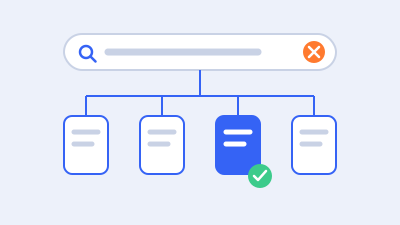
“Discovered—currently not indexed” means Google knows about a URL but has not yet crawled it in the state recorded by Search Console. Start by deciding whether the URL matters, checking how it is linked and listed, and confirming that the website can serve it reliably. Investigate uncontrolled URL growth and hosting constraints when evidence supports those possibilities. The status alone does not prove that your host is currently overloaded or that Google has already judged the page’s content.
For a WordPress business website, a useful outcome is that important, intentional pages have clear discovery paths and a sound technical implementation. Getting every generated URL crawled is rarely the right goal. A service page, an obsolete tag archive, and a hundred filter combinations should not receive identical treatment.
This guide explains a practical order of investigation, from a small company website to a larger WooCommerce catalog. Its scenarios are illustrative and its procedures do not promise a particular crawl date, indexing deadline, or ranking result.
Understand the difference between discovery, crawling, and indexing
Discovery means that Google has learned a URL exists. Crawling means requesting its content. Indexing involves later processing and selection. Those stages are related, but completing one does not guarantee the next. A sitemap can help disclose an address without causing immediate crawling, and a successful fetch does not guarantee inclusion in search.
Google’s Page indexing report describes the discovered status as found but not yet crawled, typically because a crawl was rescheduled to avoid expected overload. That general explanation is not a diagnosis of a current capacity problem on your specific website. The recorded last-crawl field can be empty because the page has not been crawled in that state.
Avoid calling this the same problem as “crawled—currently not indexed.” In that other state, a fetch has occurred. Here, claims about the exact content Google evaluated need separate evidence. You can still inspect your live page and improve obvious problems, but you should not pretend the label reveals an unseen content judgment.
Treat the report as recorded evidence
Save the observation date, example URL, report classification, and relevant deployment history. If the page was just published, record that fact. If it existed for months but was recently moved or reintroduced, document the address and change. These situations call for different comparisons.
The aggregate report and its examples are not a live, complete log of every event on the website. Use other authorized evidence when you need to know what happened at a particular time. Likewise, a URL absent from an example list is not necessarily absent from Google’s knowledge.
For a current fetch check, URL Inspection can be useful, but keep its limits clear. A live test does not establish a future indexing decision or settle canonical selection. Consult the URL Inspection documentation and label the live result separately from historical report information.
Decide which URLs deserve attention first
Start with a business inventory. Identify the primary service pages, product families, location information, key articles, and other destinations that visitors need. Compare those intended destinations with the affected URLs. This prevents a large collection of low-value variants from consuming the entire project.
Use a simple priority record:
| Question | Example decision |
|---|---|
| Should this URL exist publicly? | Keep a useful service page; review an obsolete utility URL |
| Should it be independently indexed? | Distinguish a primary product from a tracking variant |
| How important is it to customers? | Prioritize a current core offering |
| How is it discovered? | Identify a relevant hub, archive, link, or sitemap |
| What system generates it? | Record the content type, template, or filter component |
| What evidence is missing? | Assign the needed check and an owner |
Do not use report totals as a substitute for these decisions. Ten excluded pages that represent the business’s core services can matter more than thousands of browsing permutations that were never intended as search landing pages.
Group URLs by their generating system
Sort examples into families: posts, pages, products, categories, tags, authors, dates, search results, pagination, filters, language versions, and old migration paths. Keep meaningful parameters visible in the inventory. Removing every query string during analysis can conceal the very pattern you need to investigate.
Select a small sample within each important family. Include ordinary cases and meaningful exceptions. For a store, compare a basic product, a variation-heavy product, and a recently added product. For a service website, compare a page linked from navigation with a page that only appears in a sitemap.
Then identify a control group of established destinations. A comparison helps you understand the structure, but it does not reveal Google’s internal prioritization formula. Use it to find implementation differences that your team can verify and correct.
Choose a scope appropriate to the site
A small business website with several dozen intended pages usually does not need an elaborate crawl-budget project as its first response. Begin with ordinary discovery, access, page purpose, and current implementation. Do not buy a larger hosting plan solely because a generic guide mentions crawl capacity.
Google’s current crawl-budget guidance focuses on very large or rapidly changing sites and also identifies a substantial discovered backlog as a reason for advanced investigation. Use the scope and observed pattern to decide whether that work is justified, rather than treating every excluded URL as proof of a budget crisis.
Large catalogs can need a deeper inventory and server review. Even then, separate intentional pages from machine-generated combinations before calculating the size of the problem. A nominally huge site may contain a much smaller set of valuable destinations surrounded by unnecessary URL variations.
Check how people and crawlers can reach important pages
Open the public site without relying on an administrator’s shortcuts. Can you navigate from a relevant section to the affected page? Is the path understandable? Does the link lead to the intended final URL, or does it pass through old paths and redirects?
Important pages should have useful contextual entry points. A service hub can link to related services. A product category can expose current products. An article can point readers toward a relevant explanation or next step. These links should serve visitors, not merely exist as a block of repeated keywords.
Inspect the actual link markup when needed. Google describes its expectations for crawlable links. A visible button with no accessible destination can behave differently from a normal anchor link. Check the delivered visitor experience, including mobile navigation and any script-dependent archive controls.
Find orphaned and nearly orphaned pages
A page can exist in WordPress but have no meaningful internal path. It may have been published without adding it to a service hub, imported without category relationships, or removed from navigation during a redesign. A sitemap entry does not repair the human information architecture.
Find the appropriate parent or related content and link the page there if it belongs. If no sensible place exists, reconsider its purpose. This is not a demand to put every page in the main menu. It is a request for a coherent structure that explains how the destination helps a visitor.
Check for accidental isolation after bulk changes. A category migration can leave products uncategorized. A menu revision can omit a key landing page. A pagination or load-more implementation can hide older records. Investigate the actual path instead of assuming that a CMS relationship guarantees a public link.
Avoid arbitrary link quotas
There is no universal count of internal links that causes a discovered URL to be crawled. Adding dozens of unrelated links can make navigation worse while leaving the real issue unresolved. The useful question is whether the page has relevant, accessible entry points consistent with its importance.
Use descriptive language and final preferred URLs. If your own links alternate between several hostnames or parameter variants, choose a consistent destination through supported implementation. Do not change public addresses casually just to make a link report look cleaner; URL changes need their own mapping and continuity plan.
After a structural correction, verify the public path with a fresh visitor context. A logged-in preview, cached menu, or unpublished navigation draft can otherwise create a false impression that the work is complete.
Audit sitemap contents and publishing signals
Fetch the actual sitemap index and representative child files. Confirm that they load, contain the intended hostname, and list appropriate current destinations. A successful submission message does not prove every listed URL is useful, accessible, or correctly classified by the business.
Google’s sitemap guidance explains that a sitemap supports discovery rather than guaranteeing crawling or indexing. Treat it as a maintained inventory. Avoid listing old redirects, staging addresses, accidental variants, and pages excluded by your own intended policy.
Check which system produces the files. WordPress core, an SEO plugin, a commerce extension, or another service may contribute. Multiple sitemap mechanisms are not automatically a defect, but contradictory inventories make diagnosis harder. Establish which output represents the approved page policy.
Use honest modification dates
Where a sitemap includes modification dates, they should reflect meaningful changes through the generating system. Updating every timestamp on every request does not make every page genuinely new. It can also make your own change history less useful during an investigation.
Compare the sitemap record with the publishing workflow. Is a page actually public, or is it a draft reachable only through a preview? Has the correct language version been published? Did an import create the record but omit its category and links? These checks often reveal a practical task the team can complete immediately.
For a batch launch, preserve a manifest of intended pages, publish dates, and acceptance results. This lets you distinguish pages that never launched correctly from pages that are public and discoverable but await external processing.
Do not keep resubmitting unchanged inventories
Repeatedly submitting the same sitemap does not create a useful correction if its contents are already accurate. Fix a demonstrated inventory problem, confirm the served file, and record the result. Then monitor without treating every unchanged report observation as a reason to repeat the submission.
If several site versions exist, check each relevant hostname and property carefully. A report for one host and a sitemap on another can be easy to confuse. Keep environment names and full URLs in the record so a staging or old-domain inventory is not mistaken for production.
Confirm the live page can be served reliably
Even though the status does not prove a current access failure, verify the live implementation for important pages. Inspect the response chain, final page, content, and obvious access controls. Check whether the URL returns the actual destination or a challenge, maintenance screen, empty template, or unrelated redirect.
A successful response code does not guarantee indexing, and an unsuccessful response needs its own investigation. Google explains relevant behavior in its HTTP and network error documentation. Use the status, content, timing, and responsible layer together to understand what the server delivered.
Include DNS, certificates, CDN behavior, and origin availability when the evidence points there. A browser that loaded a cached page may not reveal an intermittent origin failure. Likewise, an origin check alone may not reveal the challenge presented at the public edge. Ask the hosting team to explain the actual request path.
Check robots.txt without confusing access and indexing
Review the applicable robots.txt response and rules for the intended hostname. A rule can affect a directory, parameter pattern, or resource unexpectedly. Test representative allowed and restricted URLs before changing a broad pattern.
Robots.txt controls crawling; it does not provide privacy or a universal removal mechanism. Google’s robots.txt introduction explains the distinction. If you need a crawler to read a noindex instruction, blocking access can prevent that instruction from being seen. Preserve authentication for genuinely private content.
Do not remove every restriction to encourage crawling. Some rules may deliberately limit unimportant URL families or protect operational stability. Establish their purpose and owner, then make the narrow correction required for important public pages.
Review current indexing directives separately
Check the delivered page and response headers for unintended indexing restrictions. This is a current implementation check, not a claim that a not-yet-crawled status proves Google read such a directive. The distinction matters when explaining the case to a client.
Google documents noindex implementation through supported page or header instructions. Inspect what is delivered publicly rather than relying on one plugin’s interface. A host-level header or another component may override your assumption about the page.
Keep private staging and customer areas protected. A search visibility warning is not a reason to expose account content. If a URL should not be independently indexed, document that intended outcome and use an appropriate control rather than trying to move it into the index.
Investigate server constraints when the pattern supports it
Capacity deserves attention when important pages remain broadly affected and evidence indicates serving problems. Relevant observations can include repeated server errors, rate limiting, long response times, queueing, or host availability incidents. Correlate the time periods before deciding what caused what.
Search Console’s Crawl Stats report provides aggregate crawling and availability information. It is not a complete per-URL event log or an index of all intended pages. Its request totals include different kinds of activity, so do not equate a request count with the number of unique business pages crawled.
Ask the host for evidence from the actual affected environment and interval. Include the hostname, time zone, endpoint examples, and known deployment or import windows. A monthly resource average can hide short periods of contention that matter to users and crawlers.
Distinguish capacity from inefficient application work
A site can be slow because its allocated resources are constrained, because each request performs unnecessary work, or because both conditions occur together. More capacity may provide operational relief while the application is repaired, but it does not identify the work causing the delay.
For WordPress, inspect representative uncached requests, expensive database operations, remote dependencies, and overlapping jobs where justified. Do this with appropriate tooling and access controls. Do not turn a search investigation into an unscheduled production load test.
If the host recommends a plan change, ask which constraint the new plan addresses and what measurement will confirm improvement. More storage or a different marketing label does not necessarily improve serving capacity. Keep the proposed cost connected to observed evidence and a business need.
Use verified crawler evidence
Request logs can help establish which URLs were requested and how they were served, within the log’s scope and retention. A CDN log, origin log, and application log may capture different portions of the path. Document what each source includes and excludes.
Do not identify Google solely by the user-agent string. Use the supported verification methods described in Google’s crawler verification guidance. Keep user-triggered tests and ordinary crawler activity distinct where the available data allows.
Protect log contents. URLs can contain sensitive parameters, and request details can reveal infrastructure or user information. Provide a restricted, redacted extract with an exact question rather than distributing an unrestricted log archive to everyone involved in the project.
Control URL growth before adding more generated pages
WordPress extensions can expose far more URLs than the business intentionally publishes. Sorting, filtering, dates, tags, search results, and malformed pagination may create large families of combinations. Count the generating patterns and their purpose, not just the addresses visible in one export.
A WooCommerce store may need filters for shoppers without wanting every possible combination to become a search landing page. Define the deliberate destinations first. A stable category serving a real customer need differs from an arbitrary combination that happens to have a URL.
Google’s faceted-navigation guidance discusses how parameter combinations can create excessive crawlable space and the different choices for URLs that do or do not need crawling. Apply the policy to your implementation after testing representative cases. Do not paste a generic robots rule over unknown query parameters.
Separate the decision from the control
First decide whether the URL family should be public, crawlable, independently indexed, or represented by another destination. Then choose a supported technical control. These questions overlap but are not interchangeable.
For example, a retired page with a relevant successor may need a redirect. A duplicate accessible variant may need a coherent canonical preference. A browsing family that should never be crawled may warrant a carefully scoped crawling policy. A private account page needs access control regardless of search preferences.
Avoid mixing controls without considering their interaction. Blocking a URL can prevent Google from seeing a canonical or noindex instruction on that page. A canonical preference alone is not an immediate promise that no further requests will occur. Establish the desired behavior before layering settings.
Check empty and invalid combinations
Inspect how the system handles impossible filters, pagination beyond the available records, and malformed combinations. A site that serves a successful generic page for every invented URL can create unnecessary inventory and poor visitor experiences.
Choose behavior based on the actual resource and application. Do not redirect every invalid path to the homepage or delete a useful product merely because it temporarily has no stock. Work with the store owner and developer on supported rules and appropriate responses.
Test legitimate browsing after the correction. Shoppers should still be able to narrow products, move through valid pages, and return to a useful category. An SEO policy that makes the catalog difficult to use has failed part of its purpose.
Stop generating the problem where possible
If internal links continually produce unnecessary variants, changing the generating component can be more durable than adding another corrective layer. Review filter ordering, repeated parameters, links to expired paths, and plugins that create new archives automatically.
Preserve a few before-and-after examples and the responsible configuration. This helps future developers avoid reintroducing the same pattern during a redesign or extension update. A URL policy should be maintainable by the team that operates the website, not depend on an undocumented one-time patch.
Improve the publication process instead of chasing submissions
A dependable launch process includes a clear purpose, complete primary content, a stable preferred address, relevant internal links, and the intended sitemap entry. Verify those conditions when the page goes live. This catches problems earlier than waiting for a report to reveal them.
For a service business, have the subject-matter owner verify the actual offering and next step. For a store, confirm the product information and purchasing behavior. For an article, check that the public version includes the intended explanation and references rather than a partial draft or import stub.
Do not expand a site with lightly altered pages solely to create more potential search entries. More addresses can create more maintenance and investigation work without adding a useful destination. A smaller, coherent collection may serve customers better than a large set of interchangeable pages.
Use recrawl tools for the right purpose
Google provides supported ways to request recrawling, including individual requests and sitemaps for broader sets. These are notifications, not purchaseable guarantees or a substitute for resolving demonstrated site problems.
After a meaningful correction to an important page, record any request made and move back to monitoring the evidence. Repeating the same request daily does not establish that the page is more useful, more accessible, or more important to the site.
Be skeptical of a service promising ordinary WordPress URLs universal inclusion through the Indexing API. The official API documentation limits its supported content types. A claim that a tool accepted a URL is different from evidence that Google crawled, indexed, and served it.
Do not promise a fixed processing interval
Timing depends on systems outside your control as well as the site’s implementation. Give the business a concrete work schedule for investigation, correction, and review, but distinguish that schedule from an indexing promise.
If a deadline matters, such as a product launch, use other authorized customer communication and acquisition channels as part of the business plan. Do not treat a search submission as a guaranteed launch-day traffic source. The SEO work should support a reliable site while the business manages its wider launch dependencies.
Apply the workflow to two illustrative situations
Imagine a fictional consulting company with a recently launched service page. The page is public and complete, but it appears only in a sitemap because the service menu was never updated. The site has no demonstrated availability problem and only a modest number of intended pages.
The team adds a relevant path from the service hub, verifies the destination and mobile navigation, and confirms the sitemap entry. It records the launch and correction dates and monitors later processing. There is no evidence-based reason at this point to replace hosting or implement a large catalog crawling policy.
Now imagine a fictional store whose extensions expose many combinations of sort order, color, size, and repeated pagination. Important products are among a broader discovered backlog. The team inventories the URL patterns and checks actual serving evidence rather than assuming all combinations deserve indexing.
The store owner identifies deliberate category destinations. The developer corrects unnecessary link generation and applies an approved policy to browsing variants, testing valid filters and product access. If logs also show serving constraints, the host and developer address those with a separate acceptance record. Each correction has its own evidence instead of being bundled into a vague “crawl-budget fix.”
Report progress in terms the business can act on
Maintain a record of intended pages, current evidence, verified problems, corrections, owners, and next review conditions. Show expected exclusions separately from unresolved important destinations. This makes the work understandable even when aggregate report totals fluctuate.
Use two progress measures. One tracks what your team controls: correct publication, links, responses, sitemap, and approved URL policy. The other tracks later observations: recorded crawl or index state and relevant search performance. Neither should be substituted for the other.
For a larger catalog, summarize by family and provide representative examples. A manager should be able to see that one filter component creates unnecessary inventory while a separate product template is ready and discoverable. Avoid presenting one giant spreadsheet of URLs with the same generic recommendation on every row.
Escalate with a specific unresolved question
If important pages remain affected, provide the specialist with the intended inventory, discovery paths, deployment dates, live observations, and relevant serving evidence. State the question still open: whether a component creates excessive variants, whether the host cannot serve requests reliably, or whether the site structure gives important destinations little support.
Include the limits of the evidence. Missing logs cannot establish that no request occurred. A brief healthy test cannot rule out intermittent failure. A report example cannot describe the whole site. Acknowledging these limits helps the next investigator choose the right check instead of repeating work.
Preserve the final decision and its owner. Where no verified fault is found, a stable implementation and a defined monitoring plan can be more sensible than speculative changes. Continue useful content and site maintenance without turning every unchanged status into an emergency.
Use a change record to distinguish improvement from coincidence
When a page finally appears in a different report state, it is tempting to credit the most recent action. That can be misleading if the team changed links, sitemap settings, hosting, content, and canonical preferences at the same time. A dated change record helps separate what you verified from what you can only infer.
Before a correction, save the intended behavior and the observed problem. During the correction, record the configuration or code involved, the scope, and the deployment boundary. Afterward, capture public acceptance evidence and any remaining exception. Later search observations can then be associated with the work without being presented as a controlled causal experiment.
For example, “the missing service-hub link was deployed and verified” is a direct implementation finding. “The page was recorded as crawled on a later inspection” is an external observation. Together they form a useful history. They do not prove that the link alone caused the later event, and the report should not claim more than the evidence supports.
Define acceptance for a URL-policy change
If the correction concerns generated browsing URLs, write down both the restricted family and the legitimate paths that must keep working. Include examples with several parameters, different parameter order where supported, valid pagination, and a deliberate landing page that must remain available. Test the boundary rather than only one convenient URL.
Confirm the store’s customer tasks too. A shopper should still reach products, apply supported filters, remove a selection, and understand an empty result. Staff should not need to restore an old plugin configuration to make the catalog usable. If the policy depends on custom code, identify who maintains it after extension updates.
Review existing search behavior before making broad changes to established destinations. A parameterized URL may have become a useful landing page or a campaign destination even if the original implementation did not intend it. The owner needs that evidence before approving a policy that changes its access or representation. Inventory first, then implement the agreed outcome.
Define acceptance for a serving correction
If the host or application change targets availability, compare the relevant request class under ordinary conditions. Confirm the final status and content as well as response behavior. A cached homepage cannot establish that previously failing uncached category pages now work reliably.
Use the affected time window where feasible. A site that fails only during a scheduled import needs observation around that workload after the correction. Do not create additional production traffic simply to reproduce a failure at scale without a controlled test plan and authorization. Existing operational evidence may be enough to confirm whether the known constraint recurs.
Preserve narrow rollback options. Reversing a code or configuration change should not casually erase new orders, leads, or content. If a larger recovery is required, define the current authoritative data and the reconciliation process with the business owner. Search troubleshooting remains subordinate to keeping the business’s actual records intact.
Know when more investigation is justified
Continue deeper work when an important pattern remains unexplained, a verified defect persists, or the evidence reveals a new failure. Examples include a corrected sitemap still serving old hostnames, a firewall repeatedly challenging verified requests, or an extension regenerating uncontrolled variants after every update.
If the site is stable, intended pages are complete and discoverable, and no relevant serving fault is demonstrated, repeated speculative changes may produce less clarity. Keep a proportionate review schedule and return attention to useful publishing, maintenance, and customer experience. Record what would trigger escalation so the case remains accountable without becoming an endless sequence of submission attempts.
The monitoring note should identify an owner, the intended page group, the next evidence source, and the condition that changes the decision. Retain the original sample so later reviews compare the same destinations, and record newly published pages separately instead of silently changing the group. That is enough to support a responsible follow-up without pretending that your team controls Google’s crawl schedule.
Frequently asked questions
Is discovered—currently not indexed a penalty?
The status does not establish a penalty. It describes a URL known to Google but not yet crawled in the recorded state. Review intended importance, discovery paths, current implementation, URL patterns, and serving evidence before deciding what work is needed. Other Search Console reports address different issues and should be assessed on their own evidence.
Does this status prove my hosting is too slow?
No. Capacity can be relevant, but the label alone does not identify a current host failure. Look for corroborating availability problems, errors, queueing, or response constraints during relevant periods. A small website should first check ordinary publication and discovery rather than purchasing capacity without a demonstrated constraint.
Should I remove affected pages from the sitemap?
Remove a URL when it does not belong in the intended sitemap inventory, not merely because it has this status. Important current destinations should remain represented appropriately. Review duplicates, obsolete redirects, excluded pages, and unintended variants through the sitemap-generating system, and verify the served result after changes.
How many internal links does a page need?
There is no guaranteed quota. Give the page relevant, accessible paths from appropriate sections and related content. Use a coherent structure and descriptive context. If the page has no sensible place in that structure, review its purpose before adding unrelated links just to increase a count.
Can robots.txt move crawl budget to my important pages?
Do not treat robots.txt as a simple allocation switch. Use it for a deliberate crawling policy with tested scope. Its effects depend on the site and it can prevent Google from seeing page-level instructions. Decide which URL families should be crawlable and why before changing broad restrictions.
Should I use a bulk indexing service?
Evaluate the actual mechanism, supported eligibility, limitations, and evidence. Submission acceptance does not prove inclusion in search. Avoid services promising guaranteed results through tools whose documented scope does not cover ordinary pages. Accurate publication, useful structure, and reliable serving remain necessary regardless of a submission service.
How long should I wait after a correction?
There is no universal processing deadline. Verify the correction immediately through the evidence your team controls, record the date, and choose a follow-up interval appropriate to the site and business urgency. Monitor later search observations without interpreting every unchanged report as proof the correction failed.
What if an important page is still not crawled after review?
Escalate with a representative case record rather than another generic settings change. Include the page’s purpose, public discovery paths, current response, relevant dates, sitemap evidence, URL-family patterns, and any verified server information. The next investigation should answer a specific remaining question.
Give important pages a clear, reliable route into the site
The most useful response to a discovered backlog is a deliberate inventory, sound publication, relevant links, and evidence-based technical work. Investigate capacity and URL growth where the pattern justifies it. Keep expected utility and duplicate URLs from distracting the team from the destinations customers actually need.
Web Expert Solutions can help assess WordPress discovery and crawling problems, separate important pages from unnecessary variants, and prepare a prioritized correction plan. Begin with the affected page families and the evidence already available so the work can focus on a concrete, reviewable outcome.