First, don't panic
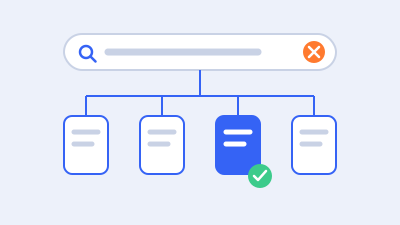
Search Console’s Page indexing report lists every URL Google knows about on your site and sorts them into Indexed and Not indexed, with a reason for each non-indexed URL. When a new reason appears, Google emails you. The emails sound alarming, but a healthy site always has non-indexed URLs. Redirected pages, deliberately excluded pages, and duplicates correctly pointing elsewhere are all supposed to be “not indexed”.
The question is never “how do I get every URL indexed?” It’s “are the pages I want in search indexed, and if not, why?”
How to read the report
- Open Indexing → Pages in Search Console.
- Look at the trend of indexed pages. A sudden drop matters more than a static number.
- Scroll to Why pages aren’t indexed. Click a reason to see example URLs.
- For each reason, ask: are any of these URLs pages I want in search? If not, move on.
- Use the URL Inspection tool on an important page to see exactly how Google sees it: whether it’s indexed, which canonical Google chose, and when it was last crawled. If it says “URL is not on Google”, follow our guide to finding the reason a single URL is not on Google.
Check the Sitemaps report too. Comparing “submitted URLs” with what’s indexed tells you whether your important pages, the ones you listed, are getting in.
Statuses that are usually normal
| Status | What it means | When to worry |
|---|---|---|
| Page with redirect | The URL redirects elsewhere; the target is what gets indexed | Only if important pages redirect unexpectedly |
| Alternate page with proper canonical tag | A duplicate correctly points to the preferred URL | Rarely; check the canonical is the page you want |
| Excluded by ‘noindex’ tag | You told Google not to index it | If an important page has noindex by mistake |
| Blocked by robots.txt | You told Google not to crawl it | If content you want in search is blocked |
| Not found (404) | The page doesn’t exist | If you still link to it, or it has backlinks |
We separate normal statuses from real problems, fix the causes and validate them.
Crawled or Discovered – currently not indexed
These are the most common and most misunderstood statuses.
Discovered – currently not indexed means Google knows the URL exists (from a link or sitemap) but hasn’t crawled it yet. On small sites this is usually temporary. On large sites (especially stores with filters, or sites generating many low-value URLs) it can mean Google is choosing not to spend crawling effort on them.
Crawled – currently not indexed means Google crawled the page and decided not to index it, at least for now. Google doesn’t give a specific reason. In practice the usual causes are:
- thin or low-value content: little text, auto-generated pages, empty categories
- duplication: very similar to another page on your site or elsewhere
- weak internal linking: the page is hard to reach and few pages link to it
- conflicting signals: canonicals, sitemaps and links pointing different ways
How to fix it (for pages that matter): improve the page so it’s clearly useful and distinct; link to it from relevant, important pages; make sure it’s in your sitemap and has a self-referencing canonical; then request indexing for a few key URLs with URL Inspection. Repeatedly requesting indexing without changing anything doesn’t help.
For pages that don’t matter (tag archives, thin filter combinations, old attachment pages), it’s often better to remove them, noindex them, or stop linking to them, so Google spends its attention on your real pages.
Duplicate and canonical statuses
When several URLs show the same content, Google picks one canonical to index. Two statuses tell you something’s off:
- Duplicate without user-selected canonical: duplicates exist and you haven’t specified which is preferred. Add canonical tags to the preferred version.
- Duplicate, Google chose different canonical than user: you specified a canonical, but Google picked another URL. Your signals disagree.
Common causes include internal links pointing to a different version than the canonical, the “wrong” version listed in the sitemap, parameters creating variants, or HTTP/HTTPS and www/non-www versions both accessible. Fix: make every signal agree. Internal links, sitemap entries, canonical tags and redirects should all point to the same URL.
Statuses that are real problems
- Server error (5xx): your server failed when Google requested the page. Check hosting resources, error logs, security rules blocking Googlebot, and caching. Intermittent 5xx errors can reduce how much Google crawls.
- Redirect error: redirect chains that are too long, loops, or redirects to bad URLs. Flatten every redirect to a single hop to a working page.
- Soft 404: the page returns 200 OK but looks empty or “not found” to Google. Either return a real 404/410, or give the page real content (common with empty categories and out-of-stock products).
- Blocked due to access forbidden (403) or unauthorised request (401): a security rule, firewall or login is blocking Google. Fine for private areas; a problem for public pages.
- Indexed, though blocked by robots.txt: Google indexed a URL it isn’t allowed to crawl, usually because other pages link to it. If it shouldn’t be in search, allow crawling and add
noindex; robots.txt alone doesn’t remove pages from the index.
How to fix and validate properly
- Export the affected URLs and look for a pattern. Most issues come from one template, one plugin setting, or one type of page.
- Fix the cause, not individual URLs: the template, the setting, the redirect rule.
- Test a sample of URLs with URL Inspection’s live test to confirm Google now sees what you expect.
- Click “Validate fix” in the report. Google rechecks the affected URLs over the following days or weeks. If some still fail, validation reports them.
- Keep watching. New instances of the same issue mean the cause wasn’t fully fixed.
A quick checklist for your important pages
For each page you need in search, confirm:
- it returns 200 OK (not a redirect, 404 or 5xx)
- it has no
noindextag or header - it’s not blocked by robots.txt
- its canonical points to itself (or to the version you want indexed)
- it’s in your XML sitemap
- it’s linked from other important pages with descriptive anchor text
- it offers genuinely useful, distinct content
Google’s documentation on the Page indexing report explains every status. If you’d rather we look, see our Search Console fixes service, or for a broader review, technical SEO.
Frequently asked questions
Is it bad that some pages aren't indexed?
No. Every healthy site has non-indexed URLs, such as redirects, duplicates and deliberately excluded pages. Only worry if pages you need in search are affected.
How long does “Validate fix” take?
Google rechecks affected URLs over the following days to weeks. Larger sites and less-frequently crawled pages take longer.
Does requesting indexing help?
For a few important, improved pages, yes. Repeatedly requesting indexing for unchanged pages doesn’t.
Why does Google ignore my canonical tag?
Because other signals disagree: internal links, sitemaps or redirects point to a different URL. Make every signal consistent.
About this guide

We build, repair, move and maintain WordPress and WooCommerce websites for businesses in the UAE, US, UK and Canada. This guide reflects how we approach the problem in client work, checked against the official documentation linked in the text. Published 16 October 2026.
Found an error or something out of date? Tell us and we’ll correct it.