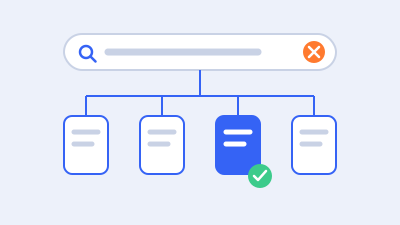
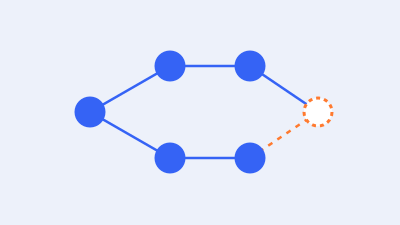
“Duplicate without user-selected canonical” means Google considers the URL a duplicate, has not recognized a declared preferred version for that case, and has selected another representative URL. The right response is to compare Google’s selected URL with the destination your business intends. Some exclusions are expected. Others reveal inconsistent URLs, missing canonical output, or pages that need a clearer independent purpose.
For WordPress, do not begin by redirecting every affected address or pointing all canonicals to the homepage. First decide whether the URL should be retired, remain accessible as an alternate version, or serve as a distinct page. Then implement the appropriate behavior and verify the delivered result.
This guide explains that decision, including WordPress archives, WooCommerce parameters, pagination, and migration leftovers. All scenarios are illustrative. Canonical preferences help communicate intent, but they do not guarantee that Google will select a particular URL or that a page will rank.
Read the status precisely before making changes
Google’s Page indexing report documentation describes this exclusion as a duplicate for which the site has not specified a preferred canonical and Google has chosen another URL. Inspect the case to identify that selected destination. The exclusion does not automatically mean that the business has lost its primary page.
Keep this status separate from “Duplicate, Google chose different canonical than user.” The latter involves a recognized declared preference that differs from Google’s selection. The investigations can overlap, but the labels do not establish the same starting condition.
Also distinguish current output from recorded output. If a canonical was added after the relevant crawl, the report may reflect an earlier implementation. Record when the output changed and verify what the public page delivers now. A stale report is not a reason to add a second canonical tag.
A canonical represents content; it does not move the browser
Canonicalization selects a representative address for duplicate or very similar content. An annotation on a page does not itself send the visitor to a different page. A redirect changes the request destination. Those behaviors serve different needs and should be chosen deliberately.
Google explains the underlying process in its canonicalization overview. Ordinary duplication is common, and a declared preference is a signal rather than an absolute instruction. Your practical task is to make the preferred representation coherent and useful.
For example, a campaign parameter may leave the same product available at several addresses. The business may want those links to work while treating the clean product address as the search representative. A permanently replaced service URL presents a different situation because visitors may need to reach the replacement directly.
Build a comparison record for the affected URL
Select an important example and preserve its exact address. Include protocol, hostname, path, trailing-slash behavior, and meaningful parameters. Stripping parameters before investigation can conceal why the duplicate exists.
Record three destinations: the affected URL, Google’s selected canonical where available, and the business’s intended preferred URL. They may all be different. Then document the relationship among the pages rather than assuming the newest or shortest address is correct.
| Evidence | Question it should answer |
|---|---|
| Exact affected URL | Which alternate path is being investigated? |
| Selected canonical | Which representative did Google record? |
| Intended destination | What does the business want and why? |
| Main content comparison | Are the pages identical, very similar, or distinct? |
| Current responses | Do the URLs load, redirect, fail, or show another page? |
| Canonical output | What preference is actually delivered? |
| Internal links and sitemap | Which address does the site consistently promote? |
| Generating component | Which template, plugin, rule, or integration creates it? |
Use URL Inspection for relevant recorded information, while separating that from a current fetch. Its documented limits matter: a live test does not establish which duplicate Google will select. Verify redirects and public output independently when needed.
Prioritize by the destination that matters
If Google selected the correct primary product and the excluded URL is only a tracking variant, the case may be low priority. If Google selected an old hostname or an unintended category instead of an important landing page, investigate more closely.
Review the selected destination’s usefulness. Does it display the intended content, current offer, language, and next action? Is it accessible to visitors? A canonical case is not resolved merely because a selected URL exists. It needs to be the appropriate representative for the business and the audience.
Group similar cases by their generating system. A shared template defect can affect many pages, while a single incorrectly entered override may affect only one. This grouping makes the repair more efficient and helps prevent a generic recommendation from being applied to unrelated URLs.
Choose among redirecting, retaining, and distinguishing
The most useful canonical audit begins with a URL decision. Technology should express that decision rather than substitute for it. Ask the content or business owner when the relationship between pages is unclear.
Redirect a retired URL when a relevant replacement exists
If an old page has permanently moved to a relevant equivalent, a permanent redirect can take visitors to the new address. Google documents redirect types and search behavior. Use the supported implementation for the host or application and check the final destination.
Map the actual relationship. An old maintenance service page may have a direct replacement; an obsolete product without an equivalent may not. Redirecting every removed URL to the homepage can confuse visitors and fail to preserve the reason they followed the link.
Avoid unnecessary chains and loops. Test old-to-new paths, alternate hostnames, and relevant parameters. A rule that fixes one URL can accidentally match a broader family. Preserve a rollback route and verify the public behavior before deploying a large mapping.
Retain an accessible alternate when users still need it
Some duplicate versions remain useful for campaigns, browsing, or application behavior. In that case, the page may stay accessible while expressing a preferred representative. The alternate should point to a genuinely appropriate page, not a vaguely related destination selected to reduce report totals.
Confirm why the alternate must remain. A marketing parameter may support attribution; a printable view may serve a user task. Test those functions after the canonical correction. A search preference should not silently break a legitimate operational use.
The preferred destination needs its own sound implementation. Inspect its response, content, indexing policy, and links. A canonical chain through several alternates makes the intent harder to explain and maintain. Use the intended representative directly where supported.
Preserve distinct pages when they serve distinct needs
If two pages genuinely offer different information or functions, investigate why they appear so similar. The template may omit distinguishing fields, the main content may not render, or the editorial scope may be unclear. Pointing one page elsewhere can conceal the symptom while undermining a valid destination.
Work with the subject-matter owner on meaningful differences. Separate services should explain their actual scope and process. Product pages should show the correct specifications and variation context. Location pages should represent real service coverage and useful local information rather than interchangeable claims.
Use an independent preferred URL for a distinct page where appropriate, then make the content and supporting structure consistent with that decision. A self-referencing canonical alone does not create a distinct purpose or guarantee independent indexing.
Inspect the canonical output that visitors and crawlers receive
Look at the delivered HTML head and relevant response headers. Record the declared target exactly, including hostname and path. A setting in a plugin interface is evidence of configuration, not proof of final output.
Google’s canonical implementation guide explains supported methods and their relative signals. Redirects and canonical annotations are stronger signals than sitemap inclusion. Use consistent, appropriate targets and avoid conflicting preferences across methods.
For an HTML page, identify the component responsible for generating the annotation. If a document uses an HTTP-level canonical, review that supported implementation too. Do not assume a crawler will infer the intended relationship from a visible link in the footer.
Find duplicate and conflicting output
A site may have an SEO plugin, theme code, custom snippets, a multilingual extension, and host-level behavior affecting URLs. Two canonical annotations can be a symptom of overlapping responsibilities. Adding another plugin can create more ambiguity rather than correct it.
Assign one supported owner for each relevant output path. Remove or correct the conflicting implementation through a controlled change. Do not edit an unfamiliar theme function on production simply because its name contains “canonical.” A developer should understand the hook, scope, and fallback behavior.
WordPress core includes a canonical output function for singular queries. That does not establish that every archive and custom template on your installation has the intended output. Inspect each important family instead of assuming one core function covers the whole site.
Check cached and personalized differences
After a correction, confirm the public response rather than only the administrator’s preview. Cached HTML can preserve an old target. A CDN or host can also serve different versions under conditions the editor does not see.
Use the cache provider’s supported invalidation process for the affected scope. Do not repeatedly purge every cache without knowing which layer contains the output. Record a representative public fetch after invalidation and compare ordinary visitor contexts where relevant.
If canonical output changes with session, consent state, or user location, investigate whether that behavior is intended. A stable page identity is easier to maintain than a preferred URL that changes unpredictably. Preserve required personalization while correcting accidental URL generation.
Prefer an auditable implementation over a quick snippet
A copied code fragment can appear to fix one page while assigning the wrong target to archives, pagination, or products. Use a maintained setting or a reviewed implementation that understands the site’s content model.
Document the rule and exceptions in plain language. For example: campaign parameters do not change the represented product; approved category landing pages remain independent; each valid paginated page represents its own item set. The exact policy depends on the site, but it should be understandable before code is written.
Keep a small regression sample. Include a basic page, product, archive, paginated URL, alternate parameter version, and any language branch the rule affects. Test this sample after relevant theme, plugin, or infrastructure changes.
Make internal links and sitemaps support the same destination
If your own site links interchangeably to several versions of the same page, the preference becomes harder to maintain. Review navigation, breadcrumbs, related-content modules, product listings, and manually authored links. Correct the generating source when a repeated pattern is involved.
Use the intended final URL rather than an unnecessary redirect or accidental parameter variant. This improves the visitor path as well as the audit. A canonical annotation should not be used as permission to leave every controllable link inconsistent.
Google’s crawlable-link guidance helps verify that important destinations have usable paths. Check the public output, including mobile menus and script-dependent controls, instead of relying solely on configuration screens.
Keep the sitemap aligned with the approved inventory
Review the actual sitemap and child files. They should reflect the intended preferred destinations through the system that generates them. A sitemap containing old hosts, redirected URLs, or unintended alternates can expose an unfinished migration or conflicting plugin policy.
Sitemaps support discovery but do not guarantee indexing. Google’s sitemap documentation provides the relevant implementation guidance. Confirm the served file and representative entries after a change rather than treating a submission acknowledgment as complete acceptance.
Use accurate change information where the generating system supplies it. Updating every timestamp does not resolve canonical disagreement. The useful correction is a coherent inventory and the correct destination, not a cosmetic appearance of freshness.
Check references beyond the immediate page
For a migration or major consolidation, the old address may appear in campaign links, downloadable documents, support instructions, or third-party integrations. Identify the important controlled references and update them where appropriate.
You may not control every external link, which is one reason a correctly implemented redirect can matter for a moved page. Do not claim that updating a sitemap replaces those visitor paths. Each mechanism has its own role.
Preserve analytics continuity where feasible through the approved measurement setup. A cleaner URL policy should still allow the business to understand campaigns and conversions. Test attribution requirements with the responsible team rather than stripping every parameter indiscriminately.
Handle common WordPress duplicate patterns deliberately
The same status can arise from several patterns. Use the pattern to choose the responsible owner and acceptance test. Do not apply one global canonical rule merely because several families share a report label.
Hostname and protocol variants
Review HTTP versus HTTPS and preferred hostnames. Confirm certificates, redirects, WordPress address configuration, internal links, and sitemap output together. The correct public address needs to work before alternates are consolidated toward it.
Do not change domain or site-address settings casually on a live installation. Those settings can affect access, assets, integrations, and application behavior. Prepare a controlled change with a recoverable configuration and the appropriate host or developer support.
Test representative deep URLs as well as the homepage. A hostname redirect can work at the root while dropping paths, losing meaningful parameters, or creating a loop on a particular directory. Record the final destination and content for each relevant branch.
Archives, categories, and tags
A category archive and a service page may overlap without being interchangeable. Decide whether the archive provides a maintained browsing function and whether it deserves independent search representation. Do not assume every archive should be indexed or every archive should be excluded.
An automatically created tag containing the same few excerpts as several other archives may warrant a broader taxonomy policy. That decision should account for navigation and maintenance, not only the current status. Use the supported CMS or SEO settings after the policy is agreed.
If a canonical points an archive to a content page, confirm that the relationship is genuinely appropriate. A broadly related topic is not necessarily duplicate content. A mistaken override can make a useful archive’s identity less clear.
Pagination
Pages in a sequence often contain different products or posts. Google’s pagination guidance recommends distinct URLs and an appropriate canonical for each page rather than using the first page as the canonical for the entire sequence.
Check that valid later pages remain reachable through crawlable paths and that item links work. A load-more interface can look complete to a person while requiring additional implementation for discovery. Inspect the actual URLs and links that expose the underlying records.
Test invalid pagination separately. A page beyond the end of the collection is not the same as a valid later page. Avoid a rule that treats all numbered URLs identically without considering the content they return.
Attachment and alternate presentation pages
Media attachments can have their own page behavior depending on configuration and software. A file URL, attachment page, and article containing the media are different resources. Decide what the visitor needs and inspect the actual implementation before changing redirects or indexing policy.
Printable or alternate presentations may need to remain available. Confirm whether they represent the same primary content and what canonical behavior fits. Preserve the useful function while making the preferred representation clear.
Do not delete media files because an attachment page is excluded. The file may still be essential to published content, downloads, or customer instructions. URL policy and asset retention are separate decisions.
Review WooCommerce parameters, products, and variants
Parameters are not automatically bad URLs. Some identify tracking, some change sorting, some select a variation, and some alter the product set. Classify them by behavior before deciding what should be canonical or independently indexable.
Google’s ecommerce URL guidance explains common duplication and product-variant considerations. Apply it to the actual store architecture and supported platform behavior. A single global instruction to remove every query string can break meaningful destinations.
For each parameter family, record what changes: content, price, selected variation, inventory, presentation order, or only attribution. Then identify whether the preferred representative and the customer-facing behavior can remain consistent.
Tracking and campaign parameters
A tracking variant may show the same main page while preserving information used by the marketing system. A clean preferred URL can be appropriate, but test campaign measurement and the visitor journey after any change.
Do not redirect away attribution parameters without understanding when and how they are captured. A technically cleaner address is not a successful business result if approved campaign reporting stops working. Involve the person responsible for analytics and campaign operations.
Correct internal links that add unnecessary tracking to ordinary navigation. External campaign requirements and internal site structure need not use identical link decoration. Maintain a documented policy so later teams do not recreate uncontrolled variants.
Sorting and filter combinations
Sorting the same category by price often preserves the underlying collection while changing presentation. Filtering can produce a narrower set that may or may not deserve a deliberate landing page. The two behaviors should not be collapsed into one rule without review.
For large faceted spaces, consider the overall crawling policy as well as canonical preferences. Google’s faceted-navigation documentation explains why many combinations can consume resources. Canonicalization is not an immediate no-crawl mechanism.
Protect approved landing pages from broad rules. If a particular category-filter destination has a distinct maintained purpose, test it as an exception. Verify that shoppers can still use normal browsing controls and reach individual products after the implementation.
Product variations and related products
Determine whether a URL selects a variation of one product or represents a genuinely separate product. Review visible differences, purchase behavior, supported platform output, and any product-feed requirements. Do not force every similar-looking product onto one representative without understanding the catalog model.
Check that shared links land in the intended state. If a variation-specific URL opens the wrong color or unavailable option, the customer problem exists independently of the canonical annotation. Test the actual selection and purchasing path with an appropriate nonproduction or authorized method.
Avoid changing product identity or schema simply to reduce exclusions. Product data, structured markup, feeds, and public pages should describe the same real offering. Coordinate a significant architecture change with the store owner and relevant integration maintainers.
Keep language versions and migrated URLs coherent
Translated pages should not be collapsed into one language merely because they represent the same business offering. Language relationships and canonical representation need to work together. Review Google’s localized-version guidance and the multilingual system’s supported implementation.
Verify that the main content is actually translated where that is intended. Translating navigation while leaving the body unchanged creates a different relationship from a genuinely localized page. Check the public output and the target audience rather than relying on the language label in the editor.
For migrations, inspect whether canonical targets still use the old domain, old path structure, or staging host. A page can look correct while its head output preserves an obsolete environment. Search-and-replace work needs supported handling, especially where serialized data and application settings are involved.
Map old and new addresses before changing rules
Build a source-to-destination map for important moved pages. Confirm equivalence and the intended final response. Avoid chaining an old redirect into another old redirect when a direct supported mapping can express the decision more clearly.
Coordinate domain, certificate, hosting, and application behavior. An old hostname may still need to serve redirects, while the new hostname serves the content. Canceling the old service before the redirect dependency is resolved can break continuity.
Keep private test environments private. Do not use a canonical to production as the only protection for a clone containing customer data or unfinished content. Search representation and access control are separate responsibilities.
Test the correction before declaring the case resolved
Prepare a small representative regression set and a rollback plan. For a live store, preserve current orders and other writes. A canonical correction ordinarily should not require replacing production with an older staging database.
Verify the source URL, final response, canonical output, preferred target, internal links, and sitemap entries relevant to the change. Include an unaffected comparison page and edge cases within the rule’s scope. Confirm that any retained alternate still serves its intended visitor function.
Use the same public context before and after where possible. A logged-in preview and a cached visitor response may differ. Record the date, environment, relevant cache action, and observation without claiming an automated fetch is a complete live-site audit.
Separate implementation acceptance from Google’s later choice
Your team can establish that the approved output is correct. Google’s recorded selection may change later or remain different. Keep those observations separate in the report and avoid promising immediate canonical adoption.
If the intended canonical is still not selected after later processing, revisit the relationship and signals. Is the target genuinely equivalent? Do links and sitemap promote a different version? Does rendering make the pages appear unlike the intended design? Does the target itself redirect or fail?
After a meaningful change to an important page, supported recrawl requests may be appropriate. Repeated submission of unchanged URLs is not a substitute for resolving an inconsistent implementation.
Apply the decision to three illustrative cases
Consider a fictional service page accessible with campaign parameters. Google selects the clean service URL, which is the business’s intended representative. The alternate still supports the campaign journey. The team verifies a coherent preference and records the exclusion as expected rather than manufacturing another landing page.
In a second fictional case, a redesign creates a new service path while the old path remains a full duplicate. The business no longer needs the old version. A reviewed mapping redirects it to the relevant replacement, updates controlled links, and checks the destination. The correction concerns continuity and representation together.
In a third fictional case, two services share a template but should answer different customer needs. The template fails to output the fields that distinguish their scope. The team corrects the output and verifies the public content instead of immediately canonicalizing one service to the other. Later search observations are monitored without promising independent indexing.
These cases share a report label but require different implementations. The correct action follows the page relationship and business intent, supported by evidence.
Build a reusable canonical acceptance record
A shared record makes the decision reviewable by someone who did not participate in the investigation. Use one row per meaningful pattern, with linked representative examples kept in a restricted working document where necessary. The record should explain the relationship between URLs before naming a technical setting.
Useful fields include the source family, intended representative, reason for that choice, required visitor behavior, current output, responsible component, approved correction, and acceptance result. Add an exception field for language versions, campaign requirements, or selected landing pages. This is more durable than a list containing only “add canonical” beside every address.
For each representative, compare the source’s primary content with the target’s primary content. Ignore superficial similarities such as a shared header when deciding whether the pages are duplicates. Conversely, a different title or hero image does not necessarily create a distinct page if the substantive information is the same. Have the content owner resolve the purpose where technical evidence cannot answer it.
Verify the target as a real destination
A preferred URL should be checked directly, not inferred from its appearance in an annotation. Does it serve the intended page? Does it redirect again? Is it accidentally excluded, unavailable, or replaced by a maintenance message? Is the public content complete enough to represent the alternate?
Record an unexpected target response as a separate problem. If the source points to an old path that redirects to the new path, the browser may still reach useful content when visiting that old path, but the declared preference is harder to understand. Review whether the annotation can identify the final intended representative directly through the supported system.
Also check for circular relationships. Page A preferring page B while page B prefers page A does not express a coherent business decision. A chain across several versions can arise after repeated migrations or manual overrides. Map the relationship first so the correction does not merely move the cycle to another URL.
Verify HTML and header scope carefully
The same installation can deliver different resource types through different systems. A normal WordPress post, downloadable document, and application-generated page may not share the same output path. Ask the developer or host which layer controls each relevant response rather than assuming one plugin setting applies everywhere.
Where multiple methods express a preference, compare them. An HTML annotation and a response header should not point to different destinations. A canonical injected into an inappropriate part of the page or generated inconsistently by client-side behavior deserves a supported implementation review. Avoid solving the discrepancy by adding yet another annotation.
Save enough evidence to reproduce the finding without exposing sensitive content. The exact source URL, response chain, declared target, and responsible configuration are often sufficient. A full-page capture containing account details is usually unnecessary for a public URL-policy question.
Test boundaries around broad rules
A rule that normalizes a hostname or parameter can affect thousands of addresses. Include positive tests that should change and negative tests that should remain untouched. For example, a tracking parameter and a product-selection parameter may look similar syntactically while serving different purposes.
Check whether case, encoded characters, trailing slashes, and supported parameter order matter in the actual application. Do not assume every server treats these forms identically. Preserve working addresses unless there is an approved normalization policy and a tested implementation.
Review campaign and application owners’ requirements before stripping or redirecting parameters. Some values are temporary, but they may still be needed during a visitor’s first request. Others identify a selected option that must survive sharing. A canonical preference can be appropriate without modifying the visitor’s address, depending on the approved design.
Record completion without hiding remaining dependencies
Use a narrow completion statement such as “the approved product-variant preference is delivered consistently on the tested sample, and selection behavior remains correct.” Name the sample and any known exceptions. That is a stronger claim than “all canonical problems fixed” after checking one page.
Keep Google’s recorded state in a separate dated field. If the implementation is complete but external processing has not changed, report both facts. If the selected representative later changes, retain the history rather than overwriting the original observation. A future reviewer can then distinguish a regression from ordinary processing after deployment.
Finally, assign maintenance ownership. The person configuring the SEO plugin may not own a host redirect or multilingual template. List the responsible layer so later updates have a clear regression check. Reopen the case when a known pattern returns, a preferred target changes, or a visitor function fails, rather than whenever a report total moves slightly.
Keep the approved policy accessible to content editors as well. They should know when a new page needs a distinct purpose, when an old address needs migration handling, and when a campaign variation should preserve an existing representative. This reduces accidental overrides and gives editors a clear escalation path when their new page does not fit the established model.
Frequently asked questions
Is this duplicate status always an SEO problem?
No. An alternate URL may be expected to remain outside the index when the correct primary page represents its content. Review the selected destination and intended behavior first. A problem is more likely when the wrong destination is selected, important pages lose their distinct identity, or the site delivers contradictory signals.
Should I add a self-referencing canonical to every affected URL?
Not automatically. A self-reference expresses that the URL should represent itself, which may contradict a deliberate duplicate relationship. Decide whether the page should be independent, retained as an alternate, or retired. Then implement the policy through the supported system and verify the delivered output.
Can I use noindex instead of a canonical?
These controls serve different purposes. Noindex asks that a page not be indexed; canonicalization expresses a preferred representative among duplicate or similar pages. Do not use exclusion as a casual substitute for consolidation. Review Google’s noindex guidance and choose the control that matches the intended outcome.
Will robots.txt force Google to use my preferred canonical?
No. Blocking access can prevent the crawler from seeing the canonical annotation on that page. Robots.txt is a crawling control, not a canonical selection command. Use a deliberate URL policy and understand the interaction before adding restrictions to affected families.
Why does my SEO plugin show the correct canonical while Search Console does not?
The interface, public response, and recorded search state are different evidence sources. Another component or cached response may alter the output, or Google’s record may reflect an earlier version. Inspect the delivered page and dates, then compare the recorded selection without adding redundant tags.
Should all paginated category pages canonicalize to page one?
No. Valid later pages can contain different items and need appropriate independent URLs and canonical handling. Check the sequence and discovery paths. Do not treat every page number as an identical duplicate merely because the archive title and design are shared.
How quickly will Google accept a canonical correction?
There is no guaranteed timetable or assurance of selection. Verify the implementation immediately, record the change, and monitor later processing. If the result remains inconsistent with the intended relationship, revisit the evidence rather than repeatedly changing settings or promising a fixed date.
When is specialist help useful?
Seek help when important families have conflicting output, multilingual or commerce rules are involved, a migration left old targets, or the selected representative differs from the intended one for unclear reasons. Bring exact URLs, current responses, recorded observations, and the business’s intended relationship between the pages.
Make the preferred destination an explicit, testable decision
A good canonical correction begins with the purpose of each URL. Retire moved pages appropriately, keep useful alternates coherent, and preserve genuinely distinct destinations. Align the implementation and supporting references, then monitor Google’s later recorded choice separately from your own acceptance checks.
Web Expert Solutions can help review WordPress canonical conflicts, WooCommerce duplicate patterns, and migration-related URL inconsistencies. Start with representative affected URLs and the destinations the business intends so the review can produce a concrete correction plan rather than a blanket rule.